tkGUIs Page
Sample GUIs for gathering user input
and displaying info to the user.
GUIs generated via Tcl-Tk scripts,
authored in the 1998 to 2004 time frame.
tkGUIs Page
Sample GUIs for gathering user input
|
|
|
Introduction : The GUI images below were generated by the Tcl-Tk script code shown via links below each image. (TCL = Tool Command Language ; TK = Tool Kit) TK is the extension of the TCL language so that TCL can create GUIs --- that is, create windows and 'widgets' within those windows. 'Widgets' include buttons, entry fields, text areas, check-boxes, radio-buttons, pop-down option lists, list boxes, etc. And TK includes 'frame' widgets to help control the placement of the other widgets. The "tk GUIs" below indicate some kinds of practical GUI interfaces that can be created with the relatively simple-to-program Tcl-Tk scripting language. That is, it is simple to create these GUIs (and call them from within shell scripts, to get parameters from users to drive programs and script code) --- simple compared to writing C or C++ or Java programs calling routines from GUI generation libraries. The GUIs below are generally in a rather preliminary state and could use some touchup before being used in a 'general user' environment. But many are about 90% of the way to being 'production worthy'.
Pretty-fying : One criticism that is often leveled against tcl-tk GUIs is that they do not blend well with operating system environments, such as the Mac OS user interface, or the Microsoft Windows desktop environment, or the Linux KDE or Gnome (or other) desktop environments. However, this criticism may be blunted in the future (after about 2007) as the 'Tile' add-on Tcl-Tk package is incorporated into the Tcl-Tk framework. In fact, at least one Tcl-Tk programmer has extended Tcl-Tk with a technique that allows for creating 'skins' for GUI interfaces --- like the skins that can be provided to audio players, like 'winamp'. The GUIs presented here could be improved quite a bit if I had spent time experimenting with fonts and background/foreground colors (and small images ... icons) to provide GUIs that look more like the windows and widgets in Mac and MS-Windows and Linux desktop environments. I chose, instead, to concentrate on providing functionality over a wide range of utilities --- and to make the windows expandable in such a way that the widgets expand appropriately when the windows expand. For example, buttons stay the same size when windows expand, but text-entry fields and text-display areas expand appropriately within the window.
References : More info on the Tcl-Tk scripting language can be found at the Tcl-Tk home page at www.tcl.tk. In particular, see www.tcl.tk/doc/ for tcl-tk documentation, including an on-line tutorial on tcl-tk. And other links to info on tcl-tk can be found here on a tcl-tk links page.
A little more about these tkGUIs : Most of the GUIs below are written so that the title of the GUI (which appears at the top of the window) --- and the labels in front of some of the entry fields --- can be changed by setting the value of an appropriate 'environment variable', such as WIN_TITLE or FE_WINTITLE. (Also fonts and window-interior colors can be set by environment variables.) So the tkGUI scripts are a little more general than the images might imply. Note that most of these images are links to a larger version of the same image. Simply click on the image to see a larger image, in the same window. Then click on the Back button of your web browser window to get back to this page. |
|
A GUI to prompt for a name (a hostid in this case) ---
Host-ID & Opt-Menu GUI -- Tk Script Code :
Host-ID & Opt-Menu GUI -- test 'wrapper' (shell) script
A GUI to prompt for two names ---
Host-ID & String Prompt GUI -- Tk Script Code :
Host-ID & String Prompt GUI -- test 'wrapper' (shell) script
A GUI to prompt for two names, plus a pop-down option menu :
Host-ID & String & 2 Opt-Menus GUI -- Tk Script Code :
Host-ID & String & 2 Opt-Menus GUI -- test 'wrapper' (shell) script
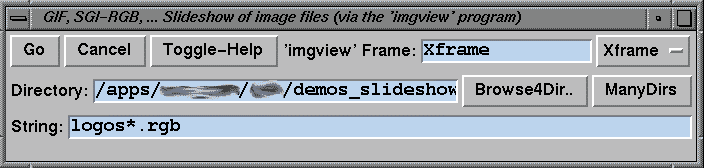
A GUI prompting for a couple of names --- with a help
Directory & String Entry GUI (with toggle of Scrolling Help) -- Tk Script Code :
Dir & String Entry GUI -- test 'wrapper' (shell) script
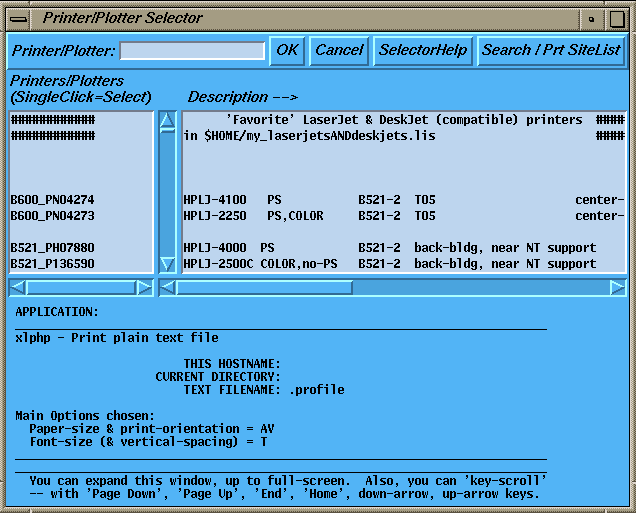
A GUI with two side-by-side list areas, each with horizontal scroll bars
Printer-Plotter Queue Selector GUI -- Tk Script Code :
PrtPlot Selector GUI -- test 'wrapper' (shell) script
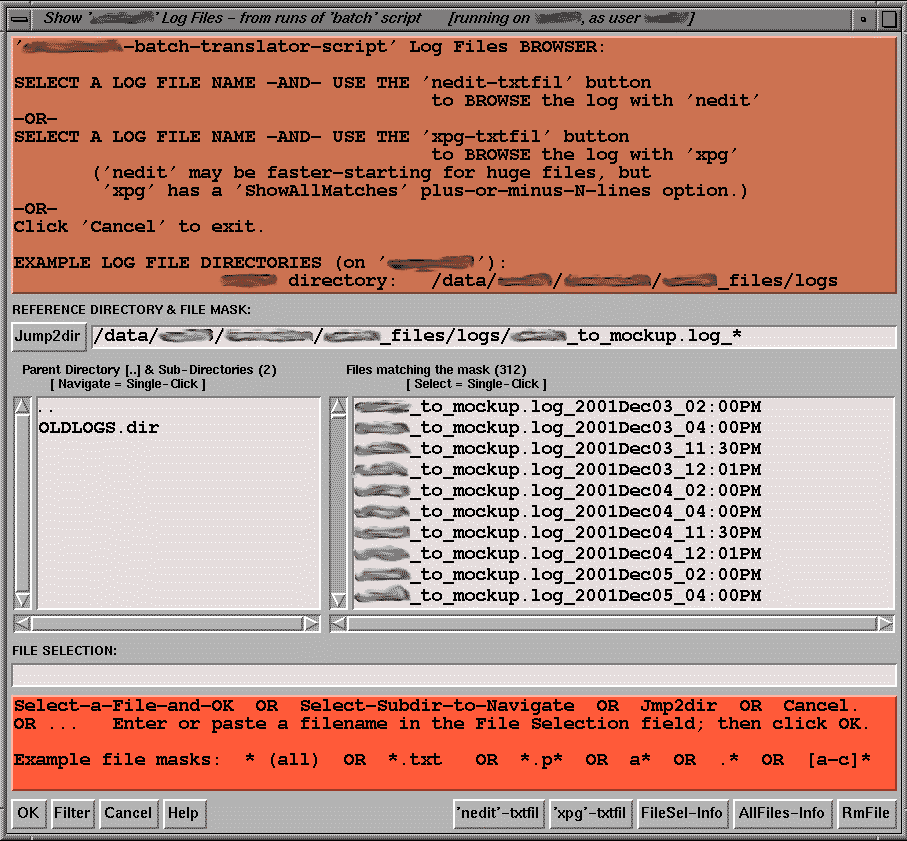
A file selector GUI, with two side-by-side list boxes --- one box for
Directory-Navigator/File-Selector GUI -- Tk Script Code :
DirNavigator/FileSelector GUI -- test 'wrapper' (shell) script
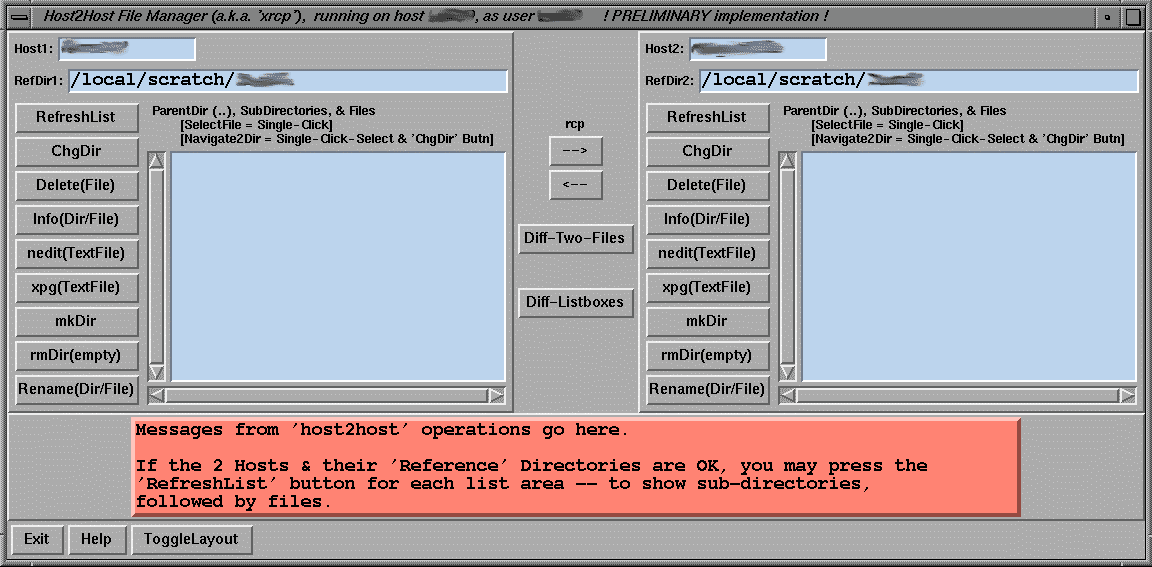
A two-list-box GUI that can be used to show files in directories on
Host2Host FileManager GUI (a.k.a. 'xrcp') -- Tk Script Code :
Host2Host FileMan GUI -- test 'wrapper' (shell) script
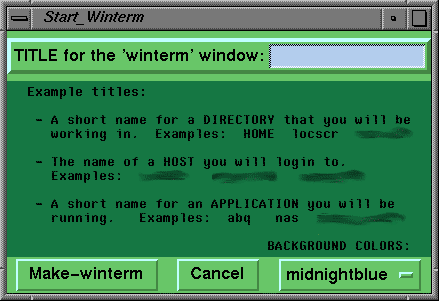
A GUI that can be used to open up a window, with a window-title of the
WinTerm Title Prompting GUI -- Tk Script Code :
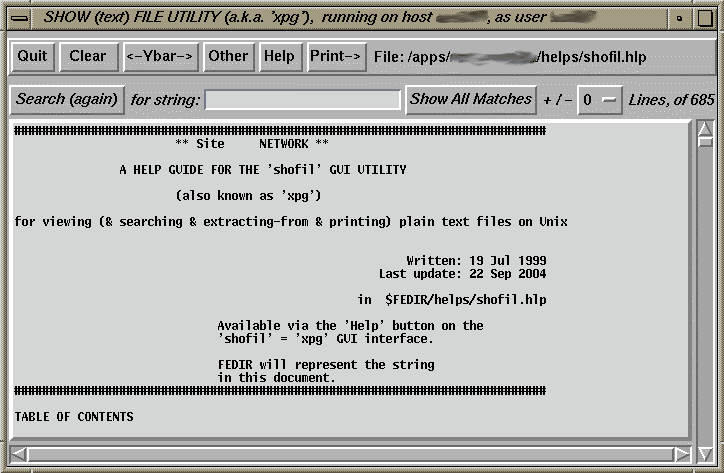
A GUI for a utility, called 'xpg' or 'shofil', that can be used to browse files and search (and extract) lines in the file in handy ways :
Show (text) File GUI (a.k.a. 'xpg') -- Tk Script Code :
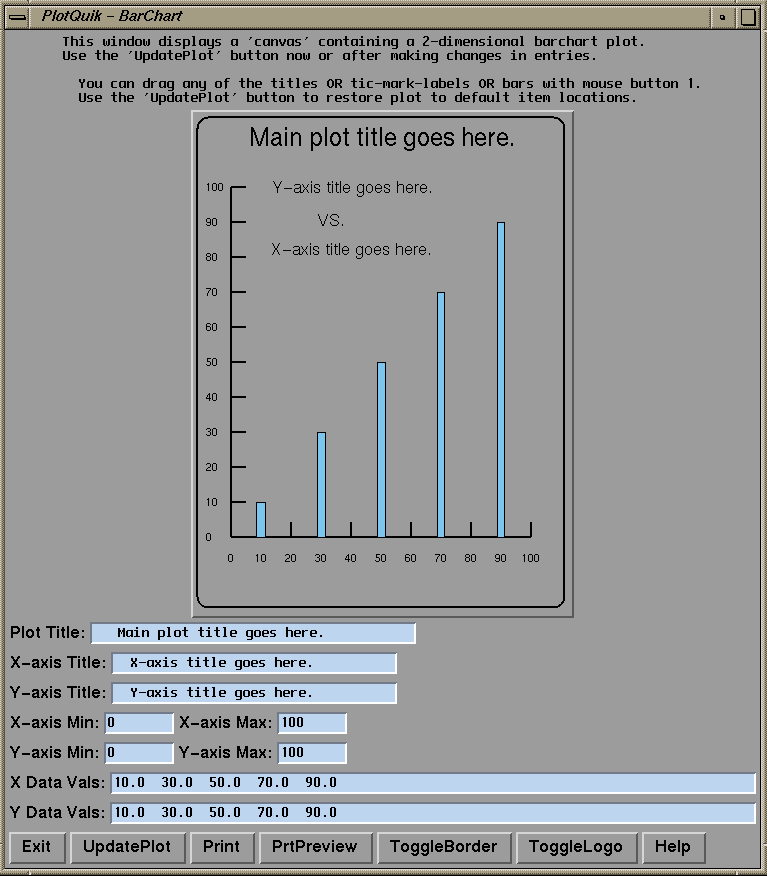
A bar-plot-maker GUI :
Plot a BarChart GUI -- Tk Script Code :
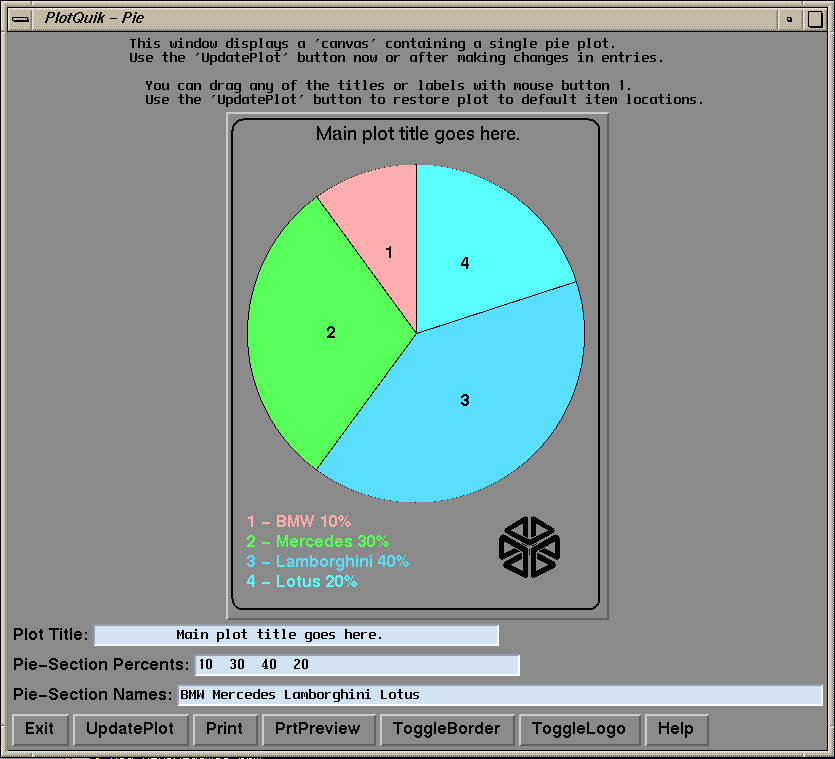
A pie-plot maker GUI :
Plot PieChart GUI -- Tk Script Code :
An xy-plot-maker GUI :
Plot X-Y Data Entry GUI -- Tk Script Code :
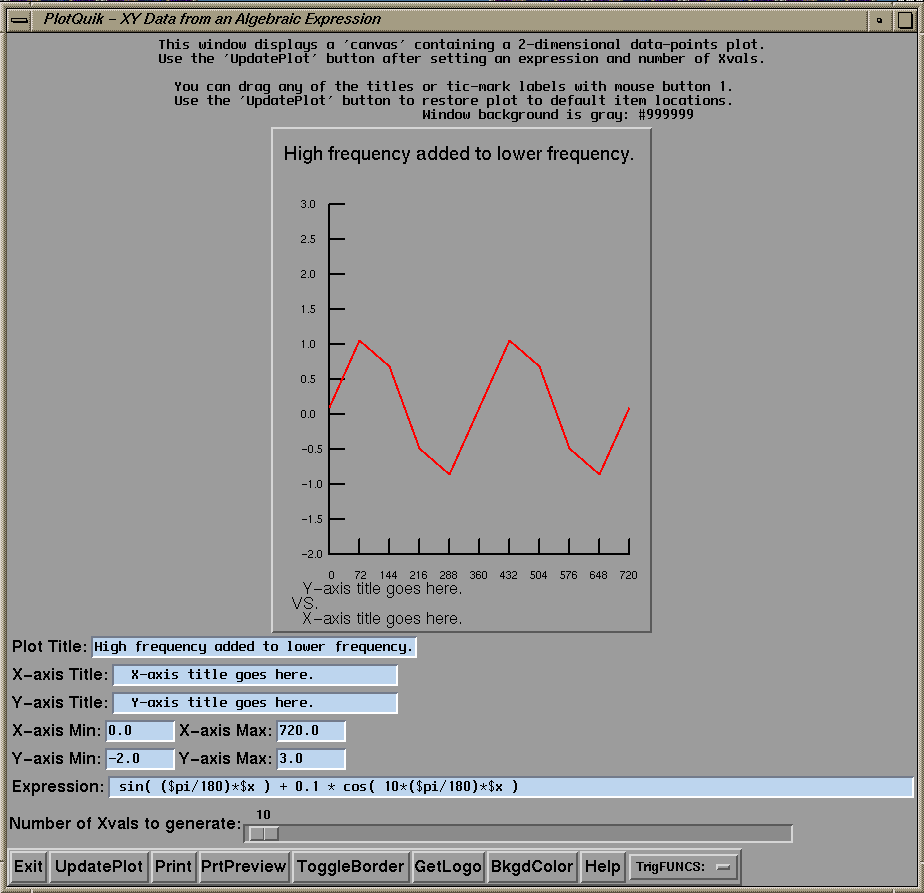
An xy-math-expression-plot GUI :
Plot X-Y via expression-entry GUI -- Tk Script Code :
Plot X-Y via expression GUI -- image WITH a functions help-list showing
An xy-file-data-plot GUI :
Plot X-Y via File Input GUI -- Tk Script Code :
|
|
Bottom of Sample tkGUIs page ---
To return to a previously visited web page, click on the
This page was posted on 'freedomenv.com' on 2008 Dec 21.
The intent of the author is to create an integrated menuing |